Renewing an adult passport online is the fastest and easiest option. You don't need to fill out a paper form or visit a post office.
The online renewal lets you:
- fill out and complete your application through our application portal(Opens in a new tab/window)
- retrieve your digital passport photo using a photo code
- upload your signature using your own device
- pay securely online to lodge your application immediately.
Next, check if you're eligible to renew online.
Check if you can renew online
You can renew your passport online, if your passport:
- was issued when you were 18 or older
- shows your current name, date of birth, place of birth and gender
- has not been lost, stolen or cancelled in the past 5 years
- expired less than 3 years ago or will expire within 2 years, and
- was issued with at least 2 years validity.
If your passport doesn't meet these requirements, you'll need to follow the standard passport renewal process for an adult passport.
If you can't renew online
You can start your application online, but you'll need to lodge in person at a post office.
Completing a standard renewal means you'll need to:
- complete your application online
- download and print the completed form
- gather your supporting documents
- provide your printed passport photos
- sign and pay in person at your nearest participating post office(Opens in a new tab/window).
For more information, see passport renewal.
Before you begin
Before you begin your online renewal application, make sure you have:
- your most recent Australian passport
- passport photos that have a photo code so you can retrieve your digital passport photo
- a device that allows you to upload photos, including a JPEG photo of your signature
- a valid Visa, Mastercard or American Express card for payment.
Step 1. Start your online renewal
Go to the application portal and answer a few questions to confirm you can renew online.
The application will ask you to confirm:
- you are renewing an adult Australian passport
- you are in Australia
- you are applying for yourself
- you don't need a passport within 2 days.
Step 2. Verify your previous passport
Enter the details of your current or most recent passport and confirm the declarations.
Make sure you enter the details exactly as they appear on your passport. For the passport number, include the letters at the start. Don't include spaces.
Example: PA1234567.
Your passport details must be verified through the Document Verification Service.
If we can't verify your passport, you'll be directed to follow the standard passport renewal process instead.
Step 3. Add your photo and signature
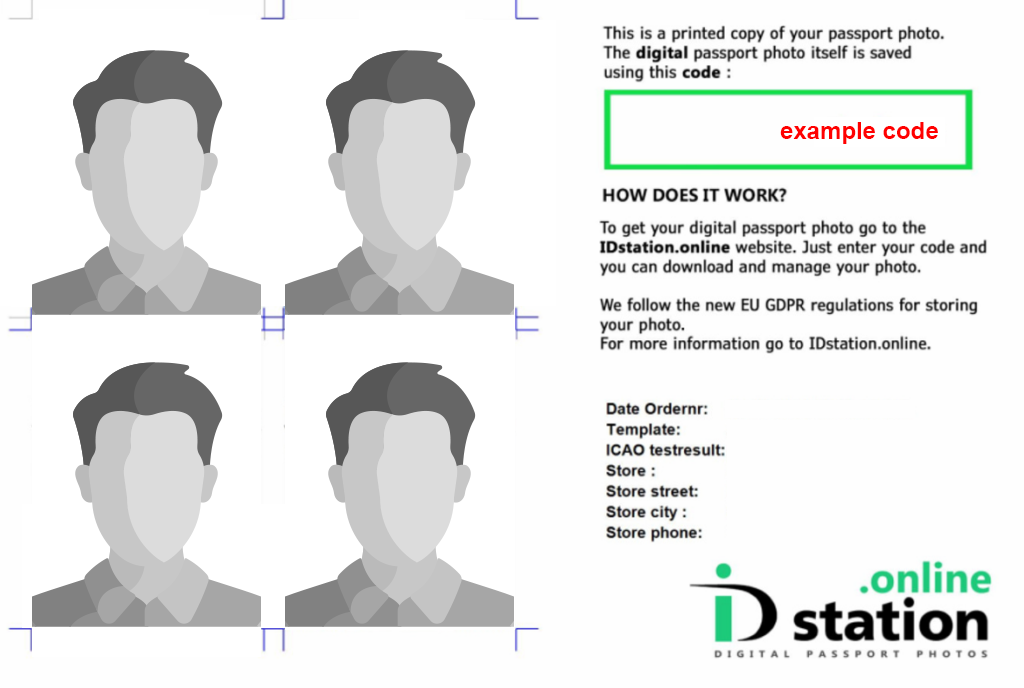
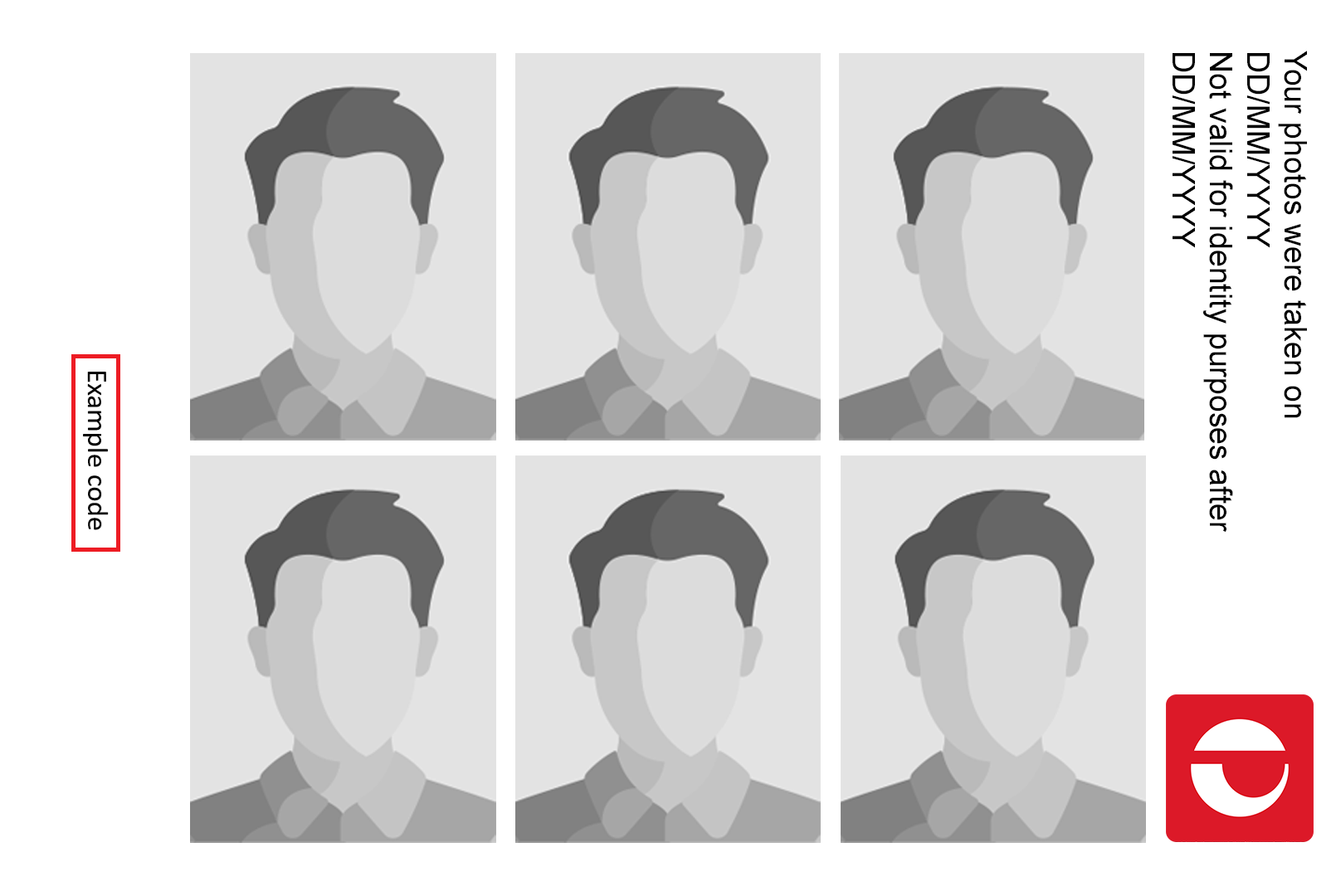
Use the photo code from your photo provider to retrieve your digital passport photo.
The example images below show where you can find the photo code from your photo provider.
| ID Station | Australia Post |
|---|---|
| 
|
Retrieve your photo
- Select your photo provider from the drop-down list.
- Enter your photo code.
- Confirm the declarations.
- Select 'Retrieve photo'.
Preview your photo and confirm it is a recent photo of you.
Upload your signature
- Write your signature using a black pen on plain white paper.
- Take a clear photo or a scan of the signed paper.
- Save the image in JPEG (JPG) format.
- Upload the JPEG (JPG) file when prompted.
- If required, rotate the image so the signature appears upright.
- Review the information and confirm the declaration.
If you can't retrieve your photo and upload your signature, you'll need to follow the standard passport renewal process instead.
Step 4. Lodge and pay online
Review all details, then pay securely using Visa, Mastercard or American Express.
Your application is lodged as soon as payment is successful - no post office visit is needed.
If you're in Australia and have a current passport, it will generally be cancelled when you apply to renew it. This means you won't be able to use it in connection with travel or identification.
Any remaining validity will not carry over to your new passport. Your new passport will be valid from the date it's issued.
Step 5. Track your new passport
Allow at least 6 weeks from lodging your application to receive your passport.
After you submit your passport application, you can track its progress(Opens in a new tab/window) using your application number.
During this time, we advise against travelling outside of Australia, otherwise you could get stranded overseas with a cancelled passport.
Delivery and collection
When your passport is ready, we'll send it by Registered Post.
We'll email you when we send your passport. We'll also send you an SMS message with a Registered Post tracking number. Once sent, your passport should arrive in about a week.
If you need your passport sooner, you can choose to pick it up from your nearest passport office.
For more information, see Delivery or passport collection.
Ready to start your application?